The best AI tools for students balance academic integrity with high-impact study support, offering reliable assistance for writing, research, note-taking, and complex problem-solving. Platforms such as Grammarly, ChatGPT, Consensus, and Otter.ai currently lead the educational space by helping learners streamline coursework and master difficult concepts efficiently.
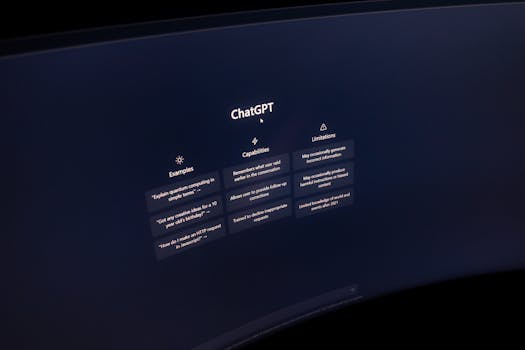
Modern collegiate life presents intense academic demands. Between juggling 15-credit semester loads, lab reports, capstone projects, and part-time jobs, American students face persistent time crunches. Artificial intelligence has rapidly shifted from a controversial novelty into an everyday academic utility. When implemented ethically, AI applications do not replace critical thinking; instead, they act as 24/7 tutors, personalized research assistants, and organizational aides.
1. How Artificial Intelligence Is Transforming Higher Education
Rather than using automated systems to ghostwrite papers, successful undergraduates and graduate students leverage machine learning to optimize cognitive energy. Generative engines summarize dense academic papers, convert unstructured lecture recordings into clean study guides, and detect subtle tonal flaws in draft revisions. Incorporating these platforms allows students to spend less time on administrative friction and more time mastering foundational competencies required for their future careers.
2. Best AI Writing and Editing Assistants
Writing remains the cornerstone of academic evaluation in American universities. AI writing applications help students refine their prose, eliminate grammatical inconsistencies, and ensure proper stylistic compliance across essays and dissertations.
Grammarly
Grammarly has long been an essential tool for undergraduates, but its generative updates elevate its academic utility. The platform analyzes essays for passive voice overuse, vague phrasing, structural flow, and mechanical errors. Beyond basic spellchecks, its contextual AI suggests alternative sentence structures to improve academic tone without stripping away the student’s unique voice. Grammarly also includes a reliable plagiarism detection engine that checks text against millions of web pages and scientific databases, giving students peace of mind before submitting essays to Turnitin.
QuillBot
QuillBot specializes in paraphrasing and vocabulary enhancement. It serves as an exceptional asset for students who struggle with academic sentence variety or who need assistance synthesizing secondary sources without direct quoting. QuillBot provides multiple editing modes, including Formal, Simple, Creative, and Fluency. Its built-in citation generator formats references instantly into APA, MLA, or Chicago formats, helping students avoid citation errors that often result in point deductions.
3. Best AI Research and Literature Review Engines
Reviewing scholarly literature often requires navigating hundreds of dense, paywalled studies. Traditional search engines frequently return commercial articles rather than peer-reviewed evidence. These specialized AI research engines parse millions of peer-reviewed papers to deliver concise, source-grounded answers.
Consensus
Consensus operates as an academic search engine powered by natural language processing. When a student enters a research question, such as whether active recall improves long-term memory retention, Consensus searches through a database of over 200 million peer-reviewed papers. It extracts key findings, provides a “Consensus Meter” showing the general scientific agreement on the topic, and includes direct citations to vetted publications. This eliminates the risk of AI hallucinations because every claim connects to an authentic DOI link.
Elicit
Elicit functions as an automated research assistant tailored for literature reviews. Students can upload custom PDF libraries or search Elicit’s database to extract relevant data points, methodologies, and outcomes across multiple papers simultaneously. Instead of reading dozens of 30-page studies to find specific empirical variables, Elicit populates a structured matrix comparing sample sizes, results, and study limitations across all selected papers.
4. Best AI Study Aids and Lecture Capture Platforms
Retaining information from 90-minute lectures requires active engagement. The following platforms automate note taking and convert lecture recordings into interactive study resources.
Otter.ai
Otter.ai functions as a real-time lecture transcription assistant. When synced during an in-person or virtual lecture, Otter captures spoken dialogue, generates live transcripts, and automatically tags speaker changes. The built-in AI highlights key discussion points, generates automated summaries, and allows students to search audio transcripts for specific terms covered during exam prep sessions.
Quizlet Q-Chat
Quizlet Q-Chat applies generative AI to active recall and spaced repetition. Acting as an interactive conversational tutor built on the familiar Quizlet platform, Q-Chat quizzes students on custom flashcard decks. Rather than just asking multiple-choice prompts, it engages students with follow-up questions, asks them to explain concepts in their own words, and provides adaptive hints when answers fall short.
5. Best AI Tools for STEM, Math, and Data Analysis
Students in science, technology, engineering, and mathematics (STEM) fields require tools that handle numerical computation, symbolic algebra, and code interpretation alongside text.
Photomath
Photomath remains a premier resource for mastering algebraic equations, calculus, and geometry. Students scan handwritten or printed math problems using their smartphone camera, and the application’s deep-learning model breaks down the solution into step-by-step explanations. Rather than simply revealing the final answer, Photomath guides the user through the mathematical theorems and computational steps required to reach the solution.
Julius AI
Julius AI delivers conversational data analysis and visualization capabilities. Students enrolled in statistics, economics, or biology can upload raw spreadsheets (CSV, Excel) and ask Julius to calculate regressions, generate scatter plots, or clean missing data using natural language prompts. Julius writes and executes the necessary Python or R code behind the scenes, making data analysis accessible for students still learning programming.
6. Feature Comparison of Leading AI Platforms for Students
The following table provides an overview of the leading AI platforms designed to support modern academic workflows.
| Tool Name | Primary Function | Free Plan Available? | Best For | Platform Compatibility |
|---|---|---|---|---|
| Grammarly | Academic Editing & Style | Yes | Essay proofreading & clarity | Web, Chrome, Desktop, iOS, Android |
| QuillBot | Paraphrasing & Citations | Yes | Source synthesis & formatting | Web, Chrome, Word Extension |
| Consensus | Peer-Reviewed Research | Yes | Finding scientific evidence | Web |
| Elicit | Literature Review Mapping | Yes | Systematic source extraction | Web |
| Otter.ai | Lecture Transcription | Yes | Class notes & audio search | Web, iOS, Android |
| Quizlet Q-Chat | Adaptive Study & Flashcards | Yes (Freemium) | Exam prep & active recall | Web, iOS, Android |
| Photomath | Math Problem Solver | Yes | Step-by-step STEM equations | iOS, Android |
| Julius AI | Data Analysis & Plotting | Yes (Limited) | Statistical analysis & projects | Web |
Our Top Pick
Choosing a single standout option among academic tools depends on everyday versatility, reliability, and impact on overall GPA. For broad academic utility, Grammarly secures our recommendation as the single best tool for students.
While research and math tools address subject-specific requirements, every student must write clear lab summaries, discussion board posts, research proposals, and capstone papers. Grammarly wins because it pairs real-time structural guidance with rigorous citation assistance and institutional integrity. Its AI improves student writing skills over time rather than simply completing tasks for them. Because it works across Google Docs, Microsoft Word, browser interfaces, and mobile apps, it provides uninterrupted support throughout a student’s entire academic career.
Frequently Asked Questions
Are AI tools considered cheating in college?
Using AI tools is not automatically considered cheating, but policies vary across institutions and individual professors. Using AI for brainstorming, editing grammar, or organizing study schedules is generally accepted. However, submitting uncredited AI-generated prose or code as your own work violates academic integrity codes at most universities. Always review your course syllabus and instructor policies before using generative platforms.
Can professors detect the use of AI in student essays?
Many universities use enterprise detection platforms such as Turnitin to scan for patterns characteristic of AI-generated text. While automated detectors occasionally yield false positives, instructors also identify AI usage through sudden shifts in writing style, incorrect or fabricated citations (hallucinations), and overly generic vocabulary. It is critical to write your own drafts and use AI strictly for editing and concept clarification.
Which free AI tool is most beneficial for high school and college students?
Consensus and the free tier of Grammarly offer the highest return on investment for general academic tasks. Consensus delivers verified scientific insights backed by peer-reviewed studies without a paywall, while Grammarly ensures all submitted assignments remain free from mechanical, stylistic, and grammatical errors.
How can students cite AI-generated content using APA or MLA format?
Both APA and MLA have established official guidelines for citing generative AI. In APA 7th Edition, cite the model’s creator (e.g., OpenAI) as the author, the year of retrieval, and the software name in italics, followed by the model version. In MLA 9th Edition, credit the AI tool title in quotation marks, identify the specific model, company publisher, and date generated. Detailed transcripts should often be included as an appendix if required by the instructor.
What are the main limitations of relying on AI for coursework?
The primary limitation of general-purpose AI is its propensity to “hallucinate” incorrect facts, miscalculate numerical formulas, or invent fictional academic citations. Additionally, general models often present outdated information depending on their training cutoff dates. Students must manually verify all claims, calculations, and citations generated by automated assistants.
Is paying for premium AI subscriptions worth the cost for students?
For most undergraduates, free tiers provide sufficient functionality for regular coursework. Premium subscriptions to tools like Grammarly or specialized tools like Julius AI are worth the investment for graduate students, upperclassmen completing honors theses, or students conducting advanced statistical research where deep feature sets save dozens of hours each week.
Conclusion
Navigating course loads requires smart time management, and leveraging the best ai tools for students can dramatically enhance your academic performance when paired with disciplined study habits. By integrating dedicated platforms for writing, peer-reviewed research, note capture, and quantitative problem-solving, learners can eliminate tedious academic friction without compromising their scholarly ethics. Focus on tools that sharpen your understanding, verify all facts independently, and maintain open communication with your professors regarding classroom technology policies. As higher education continues to adapt to automated technology, utilizing these software solutions responsibly will help you build modern skills that carry over directly into your post-graduation career.