Finding the right creative platform means choosing a tool that combines photorealistic art creation with fine-grained visual modification tools. Top platforms like Leonardo.Ai, Playground AI, and Canva provide robust prompt engines alongside canvas inpainting, background removal, and layer-based editing for zero cost.
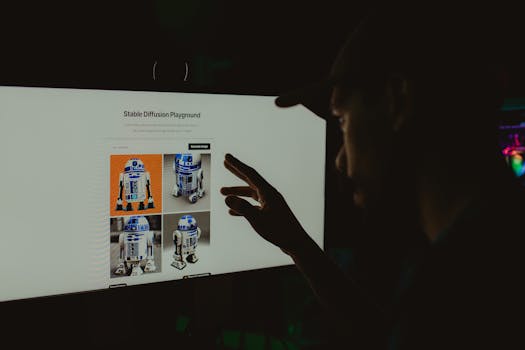
Artificial intelligence has transformed digital image creation from a specialized technical skill into an accessible medium for creators, marketers, and hobbyists. Initially, early AI generators relied strictly on basic text-to-image prompts, producing static renders that required third-party desktop software to modify or fix visual glitches. Today, modern platforms integrate advanced generative diffusion engines with native editing suites directly inside the web browser.
1. The Landscape of Free AI Image Tools
The Shift from Text Prompts to Canvas Control
The initial wave of AI art tools often forced users to re-roll entire prompts whenever a single detail was incorrect, such as an extra digit on a hand or an unwanted background element. Modern hybrid platforms resolve this frustration by offering interactive canvas environments. In these workspaces, users can select specific regions of a generated image to adjust, re-render, or expand without altering the rest of the composition, saving time and precious credit allocations.
Core Technologies: Inpainting, Outpainting, and ControlNet
To maximize your creative workflow, understanding the basic underlying mechanisms of AI manipulation is essential:
- Inpainting: Allows you to erase a segment of an image and instruct the AI to generate new elements inside that masked boundary based on a revised text prompt.
- Outpainting: Expands the canvas borders beyond the original image frame, intelligently predicting background textures, perspective, and lighting to create a wider composition.
- ControlNet: Uses structural references, such as edge detection or pose maps, to ensure the generated output adheres strictly to your specified layout.
2. Core Features to Evaluate in Free AI Tools
Selecting the right platform requires looking beyond raw visual aesthetics to evaluate how practical the tool is for everyday usage. Free tiers vary dramatically in their daily credit reset policies, watermarking rules, editing capabilities, and fine-tuning controls.
Daily Credit Allocations and Reset Cycles
Most free AI image platforms operate on a token or credit system. Some platforms offer a fixed non-replenishing pool upon initial sign-up, while others grant daily recurring credits. For long-term utility, platforms providing daily replenishing allowances are far superior to one-time trial accounts. Understanding how many credits a single generation, upscale, or edit consumes helps you stretch your daily allowance effectively.
Precision Editing Capabilities and Layer Management
A powerful image generator is only half the equation; direct editing controls determine whether an output is production-ready. Look for platforms that support layer-based editing, object removal, background isolation, and prompt-based region replacement. Having these editing features directly inside the generation interface eliminates the need to export files into secondary graphic design software.
Commercial Licensing and Export Options
If you intend to use generated visuals for marketing, social media monetization, or commercial client projects, pay close attention to licensing agreements. While many platforms grant commercial rights on their free tiers, others restrict commercial usage exclusively to paid subscribers. Additionally, check the maximum export resolution, as some free tiers cap downloads at lower resolutions unless upscaled.
3. Comparison of Leading Free AI Image Platforms
To help you compare the top options, the table below breaks down the key features, daily limits, native editing capabilities, and commercial usage permissions of popular free AI generation and editing platforms.
| Tool Name | Free Tier Allowance | Native Editing Features | Commercial Use Allowed? | Best For |
|---|---|---|---|---|
| Leonardo.Ai | 150 daily tokens | Canvas inpainting/outpainting, real-time edit, erase | Yes | Advanced control & photorealistic art |
| Playground AI | 50 images per day | Board editor, mask inpainting, object removal | Yes | Composite design & prompt editing |
| Canva Magic Studio | Limited monthly credits | Magic Edit, eraser, background remover, expand | Yes (standard terms) | Quick graphics & social media banners |
| Adobe Express | 25 monthly credits | Generative fill, text effects, background remove | Yes | Professional graphic integration |
| SeaArt AI | 150 daily stamina | Inpainting, HD upscaling, background removal | Yes | Anime, portraits, and quick touchups |
Leonardo.Ai Overview
Leonardo.Ai stands out for providing high-tier fine-tuned models alongside an extensive suite of editing features. Its AI Canvas environment allows users to fix visual glitches, seamlessly expand backgrounds, and sketch modifications in real time.
Playground AI Overview
Playground AI is designed specifically for iterative canvas editing. Its unique “Board” workspace allows users to place multiple images on a single grid, blend distinct artworks together, and apply targeted text edits to localized regions using precise mask brushes.
Canva Magic Studio Overview
Canva incorporates generative AI directly into a full-featured graphic design suite. Its Magic Edit and Generative Fill options allow casual creators to swap elements, remove unwanted background objects, and scale banners effortlessly without prior editing experience.
Adobe Express Overview
Adobe offers commercial-safe generative fill features powered by Adobe Firefly within Adobe Express. While the free monthly credit count is lower, the precision of its generative object insertion, background replacement, and typography tools remains industry-leading.
4. Our Top Pick
When evaluating both image generation quality and comprehensive editing flexibility, Leonardo.Ai takes the crown as the single best free option for creators seeking a full-featured workflow.
What makes Leonardo.Ai win over the competition is its dedicated AI Canvas workspace. Unlike basic prompt-only generators, Leonardo provides a built-in interactive environment where you can mask unwanted elements, perform precise inpainting, and extend borders through outpainting. Free users receive 150 daily tokens that reset every 24 hours, which is more than enough to generate dozens of images, test multiple prompt variations, and fine-tune details without hitting a paywall.
Furthermore, Leonardo gives free accounts access to state-of-the-art base models (such as Phoenix, SDXL, and custom fine-tuned photorealistic models), ControlNet structural guides, depth maps, and real-time canvas editing. It also grants full commercial usage rights on free generations. For users who need an all-in-one suite to create high-resolution images and immediately edit them in one seamless browser window, Leonardo.Ai remains unbeatable. You can explore the platform directly on their official site (#) to test out its AI canvas tools. For broader design workflows, you can also compare it with options like Adobe Express (#) or Playground AI (#).
5. How to Get the Best Results from Free AI Tools
Maximizing the output quality from free generative platforms requires a strategic approach to prompting and post-processing.
Step 1: Draft Focused Prompts with Style Keywords
Start by defining your subject, environment, lighting, and style clearly. Instead of using vague terms like “cool portrait,” specify camera lenses, lighting styles (e.g., “cinematic volumetric lighting, 85mm lens, golden hour”), and artistic mediums to guide the diffusion engine accurately.
Step 2: Refine Artifacts with Targeted Inpainting
Rarely is an AI image perfect on the first attempt. Once an initial render is generated, load it into your platform’s canvas or inpainting tool. Mask distorted hands, facial features, or background elements, and re-prompt only that targeted section to polish the final composition without wasting credits on re-generating the entire image.
Step 3: Upscale and Enhance Contrast
Free generation tiers often output images at standard web resolutions like 1024x1024 pixels. Use the tool’s built-in upscaler or free standalone enhancement tools to double the pixel count, sharpen micro-details, and improve overall color balance before downloading your artwork for publish or print.
6. Frequently Asked Questions
What is the best free AI image generator and editor available today?
Leonardo.Ai is currently considered the top all-around choice due to its generous 150 daily replenishing tokens, advanced base models, full commercial license support, and interactive AI Canvas editing environment.
Are free AI-generated images safe for commercial use?
It depends on the platform’s terms of service. Platforms like Leonardo.Ai and Playground AI grant commercial usage rights to free users, whereas other platforms restrict commercial usage to paid tier subscribers. Always review the licensing agreement before using free generated images for client work or advertising.
What is the difference between AI image generation and AI image editing?
AI image generation creates entirely new visuals from scratch based on text prompts (text-to-image). AI image editing modifies existing visuals using artificial intelligence features such as background removal, generative fill, object swapping (inpainting), and canvas expansion (outpainting).
Do I need a powerful computer to run these free AI tools?
No, all the platforms featured in this guide operate entirely in the cloud. The AI rendering occurs on remote server clusters, so you only need a standard web browser and a stable internet connection on your computer or tablet.
How do daily credit limits work on free AI design platforms?
Daily credit systems give users a set amount of tokens (such as 150 daily credits) that reset every 24 hours. Generating an image, upscaling, or running an inpainting edit consumes a specified number of credits depending on the complexity of the task.
Can free AI editors remove backgrounds and unwanted objects cleanly?
Yes, most modern AI editing tools include automated background removers and object erasers. By selecting an unwanted object with an eraser brush, the AI analyzes surrounding pixels and fills the selected area seamlessly to match the surrounding scene texture.
7. Conclusion
Finding the best free ai image generator and editing platform allows creators to produce high-impact visuals without spending hundreds of dollars on complex graphic software. By taking advantage of generous daily credit systems, interactive canvas tools, and targeted inpainting, you can transform simple text prompts into polished artwork and professional marketing assets. Platforms like Leonardo.Ai, Playground AI, and Canva prove that top-tier creative control is now easily accessible online for everyone. Experiment with these free tools today to streamline your design process and bring your creative ideas to life.