If you are looking for the absolute simplest video editor with virtually no learning curve, CapCut and Microsoft Clipchamp rank as the easiest options for beginners today. Both platforms combine intuitive drag-and-drop interfaces with automated features—such as instant auto-captions, background removal, and ready-to-use social media templates—allowing anyone to produce polished videos in minutes.
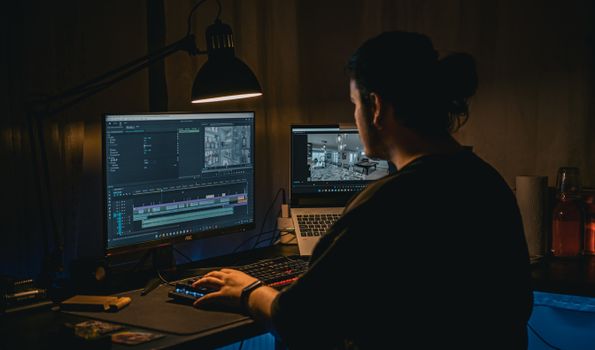
Traditional video editing applications like Adobe Premiere Pro or DaVinci Resolve feature complex multi-track timelines, nested sequences, and hundreds of deeply hidden menus. For beginner content creators, this environment leads to immediate frustration. Beginner-friendly software eliminates these barriers by prioritizing visual clarity. Instead of navigating complicated tracks, user-friendly editors utilize straightforward drag-and-drop functionality. You simply drag video clips, audio tracks, and photos onto a visual timeline where they automatically snap into place. Visual icons, color-coded clips, and simple labels ensure that you spend your time building content rather than searching for basic trim, cut, and split controls.
1. Key Features of Easy Video Editing Software
Intuitive Drag-and-Drop Timelines
AI Automation and Smart Tools
Artificial intelligence has made video editing much simpler by taking over repetitive tasks. The easiest modern video editors leverage automated tools to handle captions, background removal, audio leveling, and simple color correction with a single click. Features like automatic speech-to-text save creators hours of manual transcription, while automatic audio ducking lowers background music whenever a voiceover is detected. Built-in template libraries further reduce manual effort by providing animated title sequences, transitions, and eye-catching visual effects that can be customized instantly.
Multi-Platform and Cloud Accessibility
Accessibility plays a major role in how easy a software program feels to use. Modern editing platforms often run directly inside web browsers or offer synced applications across desktop and mobile devices. Web-based software removes the requirement for expensive hardware or lengthy installations, enabling users on budget laptops or Chromebooks to edit smoothly. Cloud saving allows creators to start cutting a video on a smartphone during a commute and complete the final adjustments on a desktop computer at home.
2. Top Easy Video Editing Software Options
CapCut: Ideal for Social Media Creators
CapCut has quickly become a top choice for casual editors and social media managers due to its lightweight layout and powerful automated tools. Built specifically for short-form video creation, CapCut features built-in trending sound effects, viral visual filters, and auto-captioning tools that offer strong accuracy across dozens of languages. Its desktop and mobile interfaces are clean and approachable, making it simple to trim clips, insert background music, apply speed ramps, or isolate subjects without complex masking. It offers a rich free tier that covers nearly everything a beginner needs.
Microsoft Clipchamp: Built-In Simplicity for Windows Users
Microsoft Clipchamp is integrated into Windows 11 as the default native video editing tool, making it immediately available to PC users without extra downloads. Clipchamp focuses on browser-based ease of use with a minimal timeline, simple drag-and-drop tools, and a broad library of royalty-free stock footage, music, and graphical overlays. Key features include an AI text-to-speech generator, automated video creation wizards, and direct export options to YouTube, OneDrive, or TikTok. Because it operates efficiently within a web engine, it runs smoothly on standard office laptops without lag.
Apple iMovie: Free and Reliable for Apple Devices
For Mac, iPhone, and iPad users, Apple iMovie remains one of the cleanest native editing tools available. Pre-installed on macOS and completely free to download on iOS, iMovie removes complex settings while maintaining sharp processing speed. It features easy clip-trimming controls, smooth transition effects, built-in sound mixing, and structured storyboards that help beginners organize personal projects. Because iMovie is optimized directly for Apple hardware, rendering 4K videos is fast and stable, offering a clean, ad-free environment without watermarks.
Canva: Template-Driven Layouts for Non-Editors
Canva is primarily famous as a graphic design platform, but its integrated video editing tools are ideal for quick promotional clips and social media posts. Canva uses a slide-based visual interface rather than a complex multi-track timeline, making video creation feel similar to editing a presentation. Users can select from thousands of customizable video templates, drop in their own footage, insert stock audio, and apply animated text overlays. It is a great option for small business owners and marketers who need simple visual content fast.
Adobe Premiere Rush: Simplified Cross-Device Editing
Adobe Premiere Rush serves as a stripped-down, simplified edition of Adobe’s professional editing suite. Built for creators who want seamless project syncing between mobile devices and desktop computers, Rush provides a simplified multi-track timeline with up to four video and three audio channels. It includes simple color grading presets, graphic overlays, and audio balancing tools. While it requires a subscription for full access, its clean structure provides a smooth learning path for users who eventually plan to move up to advanced software.
3. Side-by-Side Software Comparison
Feature and Accessibility Matrix
Finding the right program depends on your operating system, computer capabilities, and project goals. The table below compares the easiest editing tools across essential beginner metrics.
| Software Name | Best Operating Systems | Top Advantage | Difficulty Level | Free Tier Available? |
|---|---|---|---|---|
| CapCut | Windows, Mac, iOS, Android, Web | Auto-captions & social media effects | Very Easy | Yes (generous free features) |
| Microsoft Clipchamp | Windows 11, Web | Built-in Windows app & stock assets | Very Easy | Yes (1080p free exports) |
| Apple iMovie | macOS, iOS | Native Mac optimization & zero ads | Easy | Yes (100% free on Apple) |
| Canva | Web, Windows, Mac, Mobile | Template-based design drag-and-drop | Very Easy | Yes (limited stock assets) |
| Adobe Premiere Rush | Windows, Mac, iOS, Android | Syncs across phone and desktop | Easy to Moderate | Limited free trial / Paid |
Performance and Hardware Demands
Web-based options like Clipchamp and Canva perform well on low-spec laptops because rendering tasks are handled lighter in-browser. Native applications like Apple iMovie use dedicated hardware acceleration for smooth playback, though they are limited strictly to Apple hardware. CapCut balances both approaches by offering lightweight web, mobile, and desktop software options that run efficiently on almost any modern device.
4. How to Choose the Best Editor for Your Project
For Social Media and Short-Form Clips
If your primary goal is publishing content to TikTok, Instagram Reels, or YouTube Shorts, look for software that offers built-in vertical (9:16) aspect ratios and automatic captions. CapCut leads this space with its smart auto-subtitle tool, speed adjustments, and direct integration with popular audio trends, making high-energy social edits quick to assemble.
For Small Business Ads and Marketing
Marketers and small business owners who need to generate product highlights, promotional ads, or corporate announcements will benefit most from Canva or Clipchamp. Canva allows you to upload brand kits to keep fonts and logos consistent across all uploads. Clipchamp provides immediate access to stock video clips, background music tracks, and simple screen recording tools.
For Personal Memories and Vlogs
For editing long-form personal videos, family vacations, or traditional YouTube vlogs, Apple iMovie and Microsoft Clipchamp offer stable, traditional timelines. These tools make organizing longer sequences simple, offering clean audio balancing and reliable rendering without overwhelming you with social media pop-ups or extra effects.
5. Our Top Pick
Why CapCut Wins as the Easiest Video Editor
When evaluating overall ease of use, feature variety, and cross-platform convenience, CapCut stands out as our top pick for beginner editors. CapCut wins because it removes technical complexity without sacrificing helpful editing features. Its AI-powered speech-to-text function eliminates the tedious work of creating captions by hand, while its drag-and-drop timeline allows users to trim clips, split audio, and add seamless transitions with zero prior experience.
Additionally, CapCut works consistently whether you are editing on a smartphone, a web browser on a budget laptop, or a desktop computer. You can start creating videos for free on their main platform at (#). Its balance of automated smart tools, ready-to-use templates, and multi-device support makes it the definitive solution for anyone asking what’s the easiest video editing software to use.
6. Frequently Asked Questions
Is there a completely free video editor without watermarks?
Yes, both Microsoft Clipchamp and Apple iMovie allow users to export videos in full 1080p HD without adding watermarks for free. CapCut also allows watermark-free exports on standard video projects within its free tier.
What is the best easy video editing software for YouTube?
CapCut and Apple iMovie are two of the easiest editing tools for YouTube beginners. CapCut offers automatic captioning and trending graphic templates, while iMovie provides clean chapter setup, reliable background noise removal, and steady 4K exports.
Can I edit videos easily on a basic laptop or Chromebook?
Yes, browser-based video editors like Microsoft Clipchamp, Canva, and CapCut Web run smoothly on entry-level laptops and Chromebooks. Because processing occurs inside the web browser, these tools do not require heavy graphics hardware.
How does iMovie compare to web-based video editors?
iMovie is a native desktop application designed exclusively for Apple hardware, offering faster export speeds and offline performance. Web-based editors offer cross-platform support, larger stock graphic libraries, and more frequent template updates, but require an active internet connection.
Is Adobe Premiere Rush easy for complete beginners?
Yes, Adobe Premiere Rush is designed to be much simpler than standard professional software like Premiere Pro. It compresses complex color and audio controls into basic visual sliders and straightforward multi-track timelines.
Do I need a powerful graphics card for simple video editing?
No, basic video editing—such as trimming clips, applying simple text, and adding background music—does not require a dedicated graphics card. Standard integrated laptop processors can comfortably handle basic 1080p video editing.
7. Conclusion
Choosing what’s the easiest video editing software to use comes down to finding a tool that matches your device and workflow without overwhelming you with complex technical menus. CapCut leads the overall market with its intuitive AI auto-captions, viral templates, and cross-platform accessibility, while Microsoft Clipchamp and Apple iMovie serve as outstanding free options for PC and Mac users. By choosing a drag-and-drop tool tailored to your skill level, you can spend less time struggling with software and more time sharing great videos.