The best free video editing software no watermark for most creators is DaVinci Resolve for professional-grade post-production, or CapCut Desktop for fast, modern social media creation. Both platforms allow you to create, edit, and export pristine, high-resolution video files without stamping unwanted logos or branding onto your finished work.
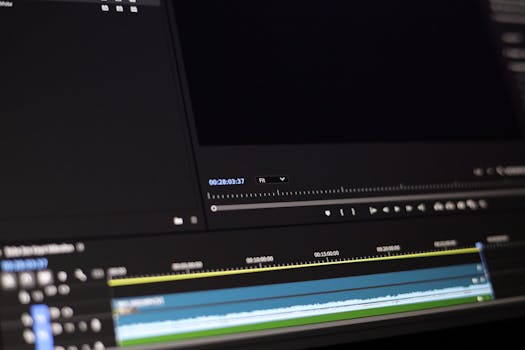
Finding a genuinely free video editor without hidden export fees requires knowing what separates trial software from true freeware. Many platforms advertise a “free download” but hold your footage hostage behind a branded overlay during the final render. When evaluating your choices, keep the following core criteria in mind.
1. Key Features to Look For in Watermark-Free Editing Software
Export Resolution and Format Options
A reputable watermark-free editor should allow you to export at least 1080p full HD at 60 frames per second without an upgrade prompt. Premium free tools like DaVinci Resolve unlock up to 4K Ultra HD exports at standard frame rates. Ensure the platform supports universal output containers like MP4 and MOV using standard H.264 or H.265 (HEVC) codecs so your files upload seamlessly to platforms like YouTube, Vimeo, and Instagram.
Learning Curve vs. Feature Depth
Video editors generally fall into two camps: non-linear editing suites modeled after Hollywood workflows and timeline-based tools built for quick social turnarounds. If your goal is assembling simple clips, cutting dead air, and adding background music, a complex multi-panel suite will slow you down. Conversely, basic drag-and-drop tools will frustrate you if you plan to execute multi-cam switching, color grading, or keyframe animations.
System Requirements and Hardware Acceleration
Video rendering places massive strain on your computer’s CPU and GPU. Open-source tools like Shotcut and Kdenlive run reliably on budget PCs and older laptops because they require minimal system overhead. High-end programs like DaVinci Resolve demand dedicated graphics cards, modern processors, and at least 16GB of RAM to prevent timeline stuttering, playback dropped frames, and crashes during exports.
2. The 6 Best Free Video Editing Software Programs Without Watermarks
DaVinci Resolve (Best for Professional Post-Production)
Blackmagic Design’s DaVinci Resolve is the undisputed gold standard of free editing applications. Unlike freemium tools that strip away essential features, Resolve includes an industry-leading non-linear editor, professional audio mastering via Fairlight, node-based visual effects inside Fusion, and the most advanced color grading engine in cinema. The free version does not watermark exports and supports project timelines up to 4K UHD at 60fps. Its primary hurdle is a steep learning curve that requires dedication from newcomers.
CapCut Desktop (Best for Social Media and Short-Form Creators)
Developed by ByteDance, CapCut Desktop has rapidly evolved into one of the most efficient tools for creators targeting TikTok, YouTube Shorts, and Instagram Reels. It provides automated captions, speech-to-text, keyframe transitions, speed curves, and pre-cleared audio tracks. CapCut exports watermark-free up to 4K resolution, provided you deselect the optional default outro screen at the end of the timeline. While some advanced AI effects require a Pro subscription, core timeline editing remains fully functional and clean at zero cost.
Shotcut (Best Open-Source Cross-Platform Editor)
Shotcut is an entirely free, open-source video editor available for Windows, macOS, and Linux. Because it is supported by a community of open-source developers rather than a commercial enterprise, it contains zero advertisements, upsells, or export watermarks. Shotcut supports native timeline editing across hundreds of audio and video formats via FFmpeg. It features modular dockable panels, advanced audio filtering, custom transitions, and hardware-accelerated encoding without locking features behind paywalls.
Clipchamp (Best Built-In Tool for Windows 11)
Clipchamp is Microsoft’s default video editor for Windows 11, also accessible via Chromium web browsers. It eliminates the friction of manual software configuration by running instantly on any modern PC. The free tier exports clean, watermark-free video up to 1080p. It includes stock assets, intuitive crop/trim tools, a reliable background noise suppressor, and an integrated screen and webcam recorder. If you need clean business presentations or standard YouTube videos without learning complex software, Clipchamp delivers immediate results.
Kdenlive (Best Lightweight Open-Source Alternative)
Built on the KDE framework, Kdenlive is a powerful open-source multi-track video editor. It rivals commercial non-linear suites while remaining light enough to run on modest hardware. Kdenlive offers dual video monitors, a multi-track timeline, configurable keyboard shortcuts, title generation, and extensive audio mixing tools. It exports projects without watermarks in any resolution your hardware can process, making it a favorite for Linux enthusiasts and budget PC users.
HitFilm (Best for Beginners Exploring Visual Effects)
HitFilm provides a hybrid workflow combining classic timeline editing with built-in 2D and 3D visual compositing. The free version allows unlimited, watermark-free exports up to 1080p Full HD. While Artlist (the parent company) limits premium Boris FX plugins and certain 4K export presets to paying tiers, the free toolkit delivers built-in green screen keying, audio sync, motion tracking, and text animation tools that outclass traditional basic editors.
3. Side-by-Side Comparison of Watermark-Free Video Editors
| Software | Best Used For | Operating System | Max Free Resolution | Learning Curve |
|---|---|---|---|---|
| DaVinci Resolve | Cinematic & Pro Projects | Windows, Mac, Linux | 4K UHD (3840x2160) | Steep |
| CapCut Desktop | Shorts, Reels, TikTok | Windows, Mac | 4K UHD (3840x2160) | Easy |
| Shotcut | Flexible Open-Source | Windows, Mac, Linux | 4K / Custom | Moderate |
| Clipchamp | Quick Web & Corporate Edits | Windows 11, Web | 1080p Full HD | Very Easy |
| Kdenlive | Lightweight Editing | Windows, Mac, Linux | 4K / Custom | Moderate |
| HitFilm | Entry-Level VFX & Keying | Windows, Mac | 1080p Full HD | Moderate |
4. How to Choose the Right Tool for Your Workflow
For Quick Social Media Edits (TikTok, YouTube Shorts, Reels)
Short-form platforms demand vertical framing (9:16), dynamic kinetic typography, and fast pacing. CapCut Desktop is engineered specifically for this pipeline. Its automated auto-captions generate synchronized subtitles in seconds, while the optical flow speed ramping allows you to create viral sports or beauty transitions without manual keyframing.
For Long-Form YouTube Content and Vlogs
If your focus is weekly tech reviews, gaming streams, tutorials, or lifestyle vlogs, choose Clipchamp for sheer speed or Shotcut for local file processing privacy. Both software suites let you splice multi-gigabyte files, balance dual-channel microphone audio, and export clean 1080p files without bogging down your system.
For Cinematic and Commercial Projects
When color grading log footage from mirrorless cameras or managing complex sound stages, you need a high-end application. DaVinci Resolve is the only free software that gives you access to full 32-bit floating-point color accuracy, advanced waveform monitors, vector scopes, and professional Fairlight audio buses without charging licensing fees.
5. Our Top Pick
DaVinci Resolve by Blackmagic Design stands out as our ultimate selection for creators seeking an uncompromised production environment. You can download DaVinci Resolve directly from the official Blackmagic Design portal without entering credit card information or enrolling in recurring trial periods.
DaVinci Resolve earns the top spot because it is not a stripped-down demo designed to force a paid upgrade. Its free version provides an end-to-end studio workflow that encompasses high-fidelity cutting, node-based VFX composition in Fusion, Fairlight audio engineering, and Hollywood-standard color correction. Where other developers restrict high-resolution exports or introduce watermarks on basic filters, Resolve delivers unwatermarked 4K exports out of the box, making it the most capable free production tool available anywhere.
6. Common Hidden Limitations in “Free” Video Editors
Resolution Caps and Frame Rate Limits
Many commercial editors limit free accounts to 720p or lock 60fps renders behind subscriptions. Always verify software output settings before spending hours arranging timeline clips. True non-watermarked freeware like Shotcut and DaVinci Resolve respects your source file’s native frame rate and resolution without forcing downscaled assets.
Missing Codec Support
Certain freeware programs omit proprietary codecs to save on licensing fees. For example, some open-source Linux software builds require you to transcode commercial HEVC (H.265) camera footage or 10-bit video into intermediate formats like ProRes or DNxHR before the timeline will play smoothly. Ensure your chosen tool reads your camera’s raw files natively to avoid lengthy conversion workflows.
7. Frequently Asked Questions
Is DaVinci Resolve truly 100% free with no watermark?
Yes, the standard version of DaVinci Resolve is completely free and exports projects without any watermark up to 4K resolution at 60fps. Only a tiny fraction of proprietary Studio plugins (such as specialized neural engine AI noise reduction and stereoscopic 3D tools) apply a watermark if activated in the free version.
Why do so many free video editors add watermarks?
Most software companies use the “freemium” model to capture prospective customers. They offer their editing interface for free to encourage users to invest hours assembling their projects, only to reveal an mandatory watermark at the export stage that requires a paid subscription to remove.
Can I use these watermark-free editors for commercial YouTube videos?
Yes. Software like DaVinci Resolve, Shotcut, Kdenlive, and Clipchamp permits commercial monetization of your exported video files. However, you must ensure any stock audio tracks, sound effects, or visual assets you include in your timeline are cleared for commercial use.
What is the easiest free video editor without a watermark for beginners?
Microsoft Clipchamp is the easiest solution for newcomers. Its straightforward browser-style layout, standard timeline trimming controls, and preset canvas dimensions eliminate the complex technical setups required by advanced non-linear editors like Resolve or Premiere Pro.
Do I need a powerful graphics card to run free video editing software?
It depends on the software. Shotcut and Kdenlive rely predominantly on your CPU and can run comfortably on integrated graphics and modest laptops. DaVinci Resolve, however, offloads timeline operations and rendering heavily to the GPU and requires a dedicated graphics card with at least 4GB of VRAM.
Are open-source video editors safe to download and use?
Open-source editors like Shotcut and Kdenlive are completely safe, clean, and free of spyware or bundled bloatware. Because their underlying source code is public and reviewed by developer communities worldwide, they remain transparent and secure alternatives to commercial freeware.
8. Conclusion
Finding the best free video editing software no watermark comes down to balancing your technical skills with the demands of your creative projects. Whether you choose the Hollywood-grade capabilities of DaVinci Resolve, the swift social-media automation of CapCut, or the accessible open-source freedom of Shotcut, you never have to let a branded logo compromise your video content again. Select the program that matches your computer’s hardware, install it directly from the developer’s official site, and start producing polished, high-resolution edits on your own terms.