The best free video editing software for most creators is DaVinci Resolve for advanced post-production and CapCut for fast-paced social media content. Both options eliminate forced watermarks, support high-definition exports, and provide the core tools required to create clean, professional video projects without spending a dime.
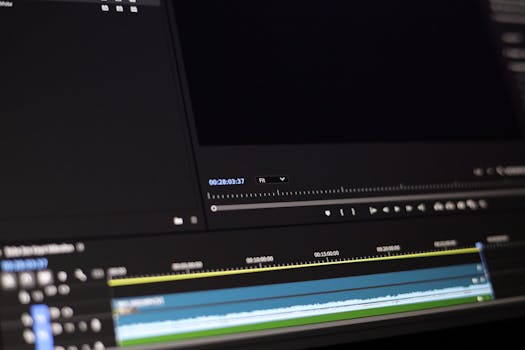
Selecting a capable video editor without a price tag requires separating genuine free software from deceptive trial versions. Many applications advertise themselves as free, only to place an intrusive watermark over your finished export or lock essential codecs behind a credit-card paywall. A dependable free video suite must give you complete ownership of your final render without demanding unexpected subscription fees.
1. What to Look for in Free Video Editing Software
Beyond licensing transparency, evaluate timeline flexibility, format support, and export resolutions. Modern creators routinely capture footage in 4K resolution at high frame rates, meaning your editor must decode modern formats like H.264, H.265 (HEVC), and ProRes without constant crashing. Look for non-destructive multitrack editing, advanced color balance controls, keyframe animation, and dedicated audio mixing tools.
Finally, consider the application’s learning curve relative to your current hardware. Sophisticated editors offer unmatched creative freedom but demand dedicated GPUs and fast multi-core processors. Lighter browser-based or open-source editors trade complex compositing panels for fluid performance on budget hardware, ensuring you finish projects without severe latency.
2. Best Free Video Editing Software Reviews: In-Depth Analysis
DaVinci Resolve: Hollywood-Grade Post-Production
DaVinci Resolve by Blackmagic Design stands apart as the most capable non-linear video editing program available without an upfront cost. While Hollywood studios rely on the Studio edition for high-end theatrical releases, the free tier includes an astonishingly deep toolset spanning media management, standard cut and edit timelines, Fusion visual effects, and Fairlight digital audio processing.
The free tier allows creators to export up to 4K Ultra HD at 60 frames per second without any visual watermarks. Its color-grading workspace remains the gold standard in the film industry, offering primary color wheels, HDR grading palettes, custom curves, and tracker-assisted secondary corrections. Audio creators benefit from Fairlight, which delivers a full digital audio workstation (DAW) complete with EQ, dynamics, bus routing, and sample-level sound editing.
The primary trade-off is the steep learning curve and heavy system resource appetite. DaVinci Resolve demands a capable dedicated graphics card (such as an Nvidia RTX or AMD Radeon GPU) and at least 16GB of system RAM to run smoothly. For filmmakers and ambitious YouTubers with modern desktop setups, Resolve is peerless.
CapCut Desktop: Fast Content Creation for Social Platforms
CapCut has successfully transitioned from mobile devices to macOS and Windows, earning a dominant position among creators producing vertical content for TikTok, YouTube Shorts, and Instagram Reels. Developed by ByteDance, the desktop version provides a responsive, drag-and-drop workflow engineered for speed and immediate turnaround.
The software shines in automated timeline utilities. CapCut offers accurate automatic speech-to-text subtitling, one-click background removal, pre-cleared trending audio libraries, and a massive ecosystem of dynamic transition templates. Its timeline snaps media cleanly, helping inexperienced editors sync cuts to background beats without manual audio-waveform alignment.
While CapCut Desktop provides smooth 1080p and 4K exports without default watermarks, it does label specific advanced assets and AI tools under a “Pro” subscription. However, the core editing timeline, transition library, text generators, and basic color correction features remain free to use without compromising quality.
Shotcut: Open-Source Flexibility with Broad Codec Support
Shotcut is a fully open-source, cross-platform video editor that runs reliably on Windows, macOS, and Linux. Unlike commercial freemium suites, Shotcut never hides tools behind paywalls, never serves advertisements, and never restricts export capabilities.
Built on the FFmpeg multimedia framework, Shotcut natively reads hundreds of video, audio, and image formats without requiring timeline transcoding. The editor supports up to 4K resolutions and incorporates wide-ranging video filters, including chroma key (green screen), three-way color wheels, clip stabilization, and comprehensive keyframe-based motion paths.
The user interface relies on dockable panels that allow you to customize your workspace layout according to your project needs. While its interface design lacks the polished aesthetic of commercial software and requires time to configure effectively, Shotcut offers uncompromising reliability for privacy-minded creators who need a dependable, uninhibited editing environment.
Microsoft Clipchamp: Seamless Browser and Desktop Editing
Pre-installed on Windows 11 and accessible via modern web browsers, Microsoft Clipchamp caters directly to casual creators, corporate communicators, and classroom educators. It strips away technical complexity in favor of an intuitive storyboard timeline that minimizes setup delays.
Clipchamp provides drag-and-drop media organization, straightforward aspect ratio switching (such as converting horizontal 16:9 to vertical 9:16), basic crop and trim sliders, and integrated screen and webcam recording. It also includes Microsoft’s high-quality Azure-powered text-to-speech voice generator, letting users generate narration in dozens of natural accents without external recording hardware.
Free accounts export watermark-free videos at up to 1080p resolution, which satisfies the requirements for standard web and social streaming. Higher-resolution 4K rendering and access to specialized stock libraries require a premium tier, but the free workspace remains a practical tool for rapid desktop updates.
OpenShot: User-Friendly Interface for Everyday Projects
OpenShot is another community-supported, open-source editor that prioritizes approachable simplicity. Designed for beginner editors who feel overwhelmed by DaVinci Resolve or Adobe Premiere Pro, OpenShot presents an uncluttered multitrack timeline where assets can be dropped without confusing intermediate setup panels.
The program supports unlimited video and audio tracks, allowing users to layer background music, voiceovers, title cards, and b-roll effortlessly. Essential operations—including split clips, slow motion, fast-forwarding, fade transitions, and basic vector titles—are readily accessible right from the main context menu.
OpenShot uses an integrated 3D title engine powered by Blender, enabling basic animated intros without visual effects training. While performance can stutter during long timelines with heavy filter stacking, it remains a stable choice for basic family videos, school presentations, and simple web tutorials.
3. Comparison of Leading Free Video Editors
| Software | Primary Strength | Platform Support | Maximum Free Resolution | Watermark on Free Tier |
|---|---|---|---|---|
| DaVinci Resolve | Professional Post-Production | Windows, macOS, Linux | 4K UHD (3840x2160) | No |
| CapCut Desktop | Social Media & Automation | Windows, macOS | 4K (4096x2160) | No |
| Shotcut | Open-Source Codec Support | Windows, macOS, Linux | 4K UHD & Custom | No |
| Microsoft Clipchamp | Quick Web & Screen Edits | Windows 11, Web Browser | 1080p Full HD | No |
| OpenShot | Beginner Timeline Simplicity | Windows, macOS, Linux | 4K UHD & Custom | No |
4. Hardware Demands and System Requirements
Video editing software strains computer hardware more than standard productivity apps because it processes dense spatial and temporal data simultaneously. Before committing to a program, verify that your computer meets its operational threshold to avoid freezing, audio desync, and rendering crashes.
Entry-level editors like Clipchamp and OpenShot rely primarily on your central processor (CPU) and function adequately with 8GB of RAM and integrated graphics. These tools are suitable for standard laptops and older home computers handling short, basic cuts in standard 1080p resolution.
Conversely, advanced suites like DaVinci Resolve offload massive decoding and real-time processing tasks to your graphics card (GPU). For comfortable 4K timeline navigation in Resolve, target a system running at least 16GB to 32GB of unified or system memory, an internal solid-state drive (SSD) for asset caching, and a dedicated GPU with a minimum of 4GB to 8GB of video RAM (VRAM). Utilizing internal proxy workflows—which temporarily downsample media files during active editing—also helps preserve smooth playback regardless of your raw camera bitrate.
5. Free vs. Freemium: Avoiding Watermarks and Hidden Paywalls
The free software market features two distinct business models: genuine open-source or fully functional freeware, versus restricted “freemium” trial packages. Many programs marketed across search engines entice users with straightforward installation, only to block exports unless you enroll in recurring billing plans.
True open-source applications like Shotcut and OpenShot are maintained by developer communities under public licenses. They contain zero commercial upsells, never embed watermarks, and never restrict file exports based on your subscription status.
Commercial software houses use free versions to attract users into a broader commercial ecosystem. Blackmagic Design provides DaVinci Resolve free to build brand loyalty among cinematographers who later invest in production hardware, speed editors, and cinema cameras.
When testing alternative editors, always conduct a brief two-second test export immediately after installation. This straightforward verification confirms whether the software adds mandatory branding watermarks, restricts rendering resolution below 1080p, or caps clip length before you spend hours cutting an actual project.
Our Top Pick
DaVinci Resolve ([#]) is our definitive top recommendation for creators seeking uncompromised editing power at zero cost. It eliminates the functional limitations, aggressive watermarking, and resolution ceilings typical of consumer-grade freeware, offering an all-in-one workstation that matches or exceeds paid commercial platforms. With its industry-leading color correction, integrated Fairlight sound design studio, Fusion motion graphics environment, and clean 4K rendering output, DaVinci Resolve delivers an unrivaled post-production experience for creators ready to master a professional toolset.
Frequently Asked Questions
Which free video editing software has no watermark?
DaVinci Resolve, Shotcut, OpenShot, CapCut Desktop, and Microsoft Clipchamp all allow you to export finished video projects without forcing an intrusive promotional watermark over your footage, provided you use their standard, non-premium asset sets.
Can I edit 4K video using free software?
Yes. DaVinci Resolve exports clean projects up to 4K Ultra HD at 60fps in its free version, while open-source programs like Shotcut and OpenShot support 4K and arbitrary custom resolutions without software-imposed export caps.
What is the easiest free video editor for beginners?
Microsoft Clipchamp and OpenShot offer the gentlest learning curves. Both programs feature drag-and-drop media timelines, simple trim handles, and clear navigational menus that let newcomers assemble videos without prior technical post-production experience.
Is DaVinci Resolve truly 100% free?
Yes, the standard edition of DaVinci Resolve is completely free to download and use for both personal and commercial work. Blackmagic Design sells a separate Studio upgrade ($295) for collaborative enterprise servers, specialized neural engine plugins, and resolutions above 4K.
Do free video editors work well on older laptops?
Lightweight and browser-accessible applications like Microsoft Clipchamp and Shotcut handle modest laptop specifications reasonably well. However, intensive suites like DaVinci Resolve will experience stutter and potential crashes without a dedicated GPU and at least 16GB of system RAM.
What free video editor is best for YouTube videos?
DaVinci Resolve is ideal for long-form, highly polished YouTube documentaries and tutorials requiring detailed color grading and clean audio mixing. For fast-paced YouTube Shorts, CapCut Desktop is preferred for its rapid auto-captioning and native vertical layout presets.
Conclusion
Finding the right editing platform depends on balancing your current hardware capabilities, technical editing experience, and long-term production goals. We conducted these in-depth best free video editing software reviews to show that modern creators do not need expensive monthly creative subscriptions to produce broadcast-quality media. By choosing verified software like DaVinci Resolve for deep color and audio capabilities, or CapCut and Clipchamp for streamlined social content, you can produce compelling, watermark-free projects completely within budget.