The overall best free video editing software for desktop users is Blackmagic Design’s DaVinci Resolve, offering Hollywood-caliber color grading, multi-track audio, and advanced compositing without watermarks. For creators editing on smartphones or tablets, CapCut is the leading free mobile app, delivering seamless automated captions, trending audio sync, and rapid vertical video exports for platforms like TikTok and Instagram Reels.
Finding high-quality creative software without paying a monthly subscription often feels like navigating a minefield of hidden paywalls, export restrictions, and invasive watermarks. Before installing an application on your PC, Mac, or mobile device, you must understand the technical foundations that separate dependable production suites from lightweight marketing traps.
1. Essential Factors When Evaluating Video Editing Tools
Watermark-Free Export Policies
The primary frustration with many advertised “free” video tools is the export watermark. Trustworthy software allows you to export high-resolution media without stamping proprietary brand logos across your finished cut. True freeware and genuinely generous freemium platforms provide unbranded outputs in standard formats such as MP4 and MOV, letting you preserve your personal or corporate brand identity.
Non-Linear Multi-Track Timelines
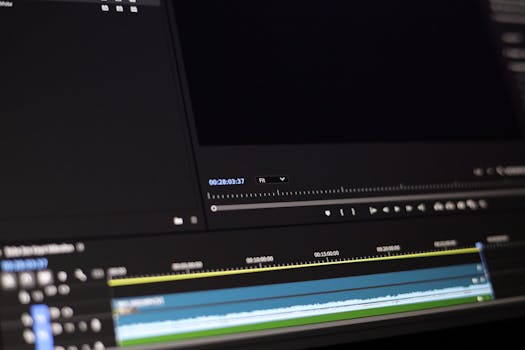
A proper non-linear editor (NLE) enables you to place video, audio, text, and graphics onto separate, stacked layers. This structural flexibility lets you cut B-roll over interview footage, blend background ambient music with dialogue, and insert title cards with frame-level precision. Single-track editors, by contrast, severely limit your creative control and slow down pacing.
Format Support and Export Resolutions
Modern digital cameras, drones, and smartphones capture footage using diverse codecs such as H.264, H.265 (HEVC), and Apple ProRes. Your editing platform should natively ingest these formats without demanding lengthy third-party transcode steps. Furthermore, your software should export at least 1080p full HD at 60 frames per second, with premium free tiers providing uncompressed 4K output.
Built-In Audio and Visual Utilities
Video production is only half the battle; sound design often dictates audience retention. A capable free editor includes keyframing tools, volume automation, noise-reduction filters, and essential video effects like green-screen keying, crop adjustment, color grading curves, and stabilization.
2. Top Free Desktop Video Editors for Windows and Mac
Desktop computers offer the processing headroom, monitor real estate, and peripheral support required for complex edits, documentary storytelling, and client deliverables.
DaVinci Resolve
DaVinci Resolve represents the gold standard of desktop freeware. Available across Windows, macOS, and Linux, it houses an entire post-production pipeline under one roof. The platform combines dedicated tabs for ingest (Media), rapid assembly (Cut), traditional non-linear timeline editing (Edit), nodal visual effects (Fusion), professional color grading (Color), and audio mixing (Fairlight). The free version delivers an astonishing range of capabilities, permitting unwatermarked exports up to 4K Ultra HD at 60 fps. While the nodal architecture has a steep learning curve, mastering Resolve equips you with industry-standard skills used on major film sets.
Shotcut
Shotcut is a fully open-source, cross-platform video editor that respects user privacy and operating system resources. Because it relies on the FFmpeg multimedia framework, Shotcut can read virtually any video or audio file you throw at it. It features a modular interface where you can dock panels for peak meters, scopes, text properties, and history logs. Shotcut excels on modest PC hardware, requires no registration, and never locks color correction, 4K timeline editing, or frame-rate conversions behind a paywall.
Microsoft Clipchamp
Integrated natively into Windows 11 and accessible via modern web browsers, Clipchamp targets casual creators, small business marketers, and educators. Its drag-and-drop interface streamlines the creation of vertical aspect ratios (9:16) for social channels and standard widescreen formats (16:9) for corporate presentations. While advanced color tools and audio scrubbing are minimal, Clipchamp includes dependable screen-and-webcam recorders, royalty-free audio tracks, and automated speech-to-text generation with clean 1080p watermark-free exports on the free tier.
OpenShot
OpenShot is another notable open-source program engineered specifically for beginners who find DaVinci Resolve intimidating. Available for Windows, Mac, and Linux, OpenShot offers unlimited layers, drag-and-drop file organization, curve-based keyframe animations, and 3D title generation powered by Blender integration. It serves as a practical, lightweight alternative for quick digital cuts, school assignments, and family video montages.
3. Leading Free Mobile Video Editing Apps for iOS and Android
Mobile video capture has evolved dramatically, allowing creators to shoot, cut, and publish content directly from an iPhone, iPad, or Android device.
CapCut
Owned by ByteDance, CapCut has become the dominant editing app for mobile storytellers. It packs an immense catalog of automated tools into an intuitive interface, including automatic subtitle generation, optical-flow slow motion, voice isolation, and keyframe tracking. CapCut lets creators toggle canvas aspect ratios instantly, making it trivial to reformat footage for YouTube, Instagram, or TikTok. While cloud storage and select AI filters require a subscription, the core timeline, audio editing, and high-definition exports remain freely accessible.
VN Video Editor
VN Video Editor (VlogNow) stands out as an exceptionally clean, ad-free mobile editor favored by experienced videographers. Unlike many competitors that flood users with banner ads, VN presents a professional multi-track timeline featuring curve speed adjustments, keyframe zoom transitions, LUT color profile imports, and picture-in-picture overlays. It exports up to 4K at 60 fps without mandatory watermarks, making it one of the most reliable utility apps for mobile production.
InShot
InShot remains a dependable staple for micro-content producers who need to crop clips, add background blurs, synchronize voiceovers, and overlay animated text stickers within seconds. Although the free version displays brief video ads and places a small watermark on exports, users can easily remove the watermark on a per-export basis by viewing an in-app advertisement, keeping the core tools free for casual creators.
4. Side-by-Side Comparison of Top Free Video Editors
| Software / App | Primary Platform | Best Use Case | Max Free Export Resolution | Watermark on Free Tier? | Learning Curve |
|---|---|---|---|---|---|
| DaVinci Resolve | Windows, Mac, Linux | Pro filmmaking, color grading, YouTube | 4K UHD (3840x2160) | No | Steep |
| Shotcut | Windows, Mac, Linux | Open-source editing on modest hardware | 4K UHD and above | No | Moderate |
| Microsoft Clipchamp | Windows 11, Web Browser | Quick presentations, tutorials, school clips | 1080p Full HD | No | Beginner |
| OpenShot | Windows, Mac, Linux | Simple edits, open-source basic projects | 4K UHD | No | Beginner |
| CapCut | iOS, Android, Desktop | TikTok, Reels, Shorts, dynamic social clips | 4K at 60 fps | No (Removable end card) | Beginner |
| VN Video Editor | iOS, Android, Mac, PC | Clean mobile vlogging, travel montages | 4K at 60 fps | No | Moderate |
5. Hardware Specifications and Performance Optimization
Even the most streamlined video software can strain your hardware if your system does not match the demands of modern compressed video files. Optimizing your workflow ensures smooth playback and avoids catastrophic software crashes during render cycles.
Recommended System Specs for Desktop Editing
Working with modern 10-bit color depth or 4K camera footage requires sufficient memory and graphical processing. While basic applications like Clipchamp run reliably with 8 GB of RAM and integrated CPU graphics, DaVinci Resolve requires a dedicated graphics card (NVIDIA RTX series or AMD Radeon equivalent) with at least 4 GB to 8 GB of VRAM, along with 16 GB to 32 GB of system RAM. Installing your software, media cache files, and source video onto fast Solid State Drives (NVMe SSDs) prevents system bottlenecks during timeline scrubbing.
Mobile Device Storage and Processing Needs
Mobile editing demands significant internal storage. Before beginning a project in CapCut or VN, ensure your phone has at least 15 GB of free flash storage. Video cache files, optical slow-motion renders, and high-bitrate exports consume storage rapidly, causing mobile operating systems to throttle performance or abruptly terminate apps when memory runs dry.
Using Proxy Workflows for Smooth Scrubbing
If your desktop or laptop stutters when playing back high-resolution video files, enable proxy editing. Proxies are lightweight, low-resolution carbon copies (typically 720p or 1080p in ProRes Proxy or DNxHR formats) generated by your software. You edit, cut, and time your narrative using these responsive files; when it comes time to render the final project, the editor automatically links back to the original full-resolution media for pristine output.
Our Top Pick
Our definitive selection for the top creative platform is DaVinci Resolve by Blackmagic Design [(#)].
While mobile apps provide speed for short-form video, DaVinci Resolve wins because it is a genuine, uncompromised professional suite provided without monetary cost. It does not place artificial duration limits on your cuts, restrict you to low bitrates, or force commercial branding onto your timelines. The free edition delivers industry-leading color management, Fairlight’s 2,000-track digital audio workstation, and full hardware-accelerated timeline navigation. Whether you are producing 4K long-form video essays for YouTube, editing short narrative films, or assembling corporate marketing assets, DaVinci Resolve provides an enterprise-tier production studio [(#)] that scales with your growth as an editor without demanding recurring monthly fees.
Frequently Asked Questions
Is there a 100% free video editor with no watermark?
Yes. DaVinci Resolve and Shotcut are desktop applications that provide full-resolution exports without watermarks or forced trial periods. On mobile, VN Video Editor and CapCut both allow watermark-free exports on their free versions (CapCut includes a default two-second branded end card on the timeline, but this can be deleted before exporting).
Can I edit 4K video using free software?
Yes. Both DaVinci Resolve and Shotcut support native 4K timeline playback and 4K file exports on their standard free tiers. Mobile editors like CapCut and VN Video Editor also permit 4K exports up to 60 frames per second, provided your smartphone hardware supports that resolution.
Which free video editing app is best for YouTube beginners?
For desktop users starting a YouTube channel, Microsoft Clipchamp or Shotcut offers the best balance between capability and simplicity. For mobile-first YouTube creators producing Shorts, CapCut provides the fastest path to publication thanks to its automatic caption generation and rich audio library.
Do I need a powerful computer to run free video editing tools?
Not necessarily. Open-source programs like Shotcut and OpenShot, as well as browser-based editors like Clipchamp, are lightweight and run smoothly on budget laptops with integrated graphics. However, high-end suites like DaVinci Resolve require dedicated GPUs and a minimum of 16 GB of RAM for stable performance.
What is the difference between open-source editors and freemium apps?
Open-source editors like Shotcut are built by community developers; their code is public, they have no commercial upsells, and they never restrict features. Freemium apps like Clipchamp or CapCut offer substantial free functionality but reserve specific cloud storage tiers, premium filters, or AI utilities behind paid subscriptions.
Is CapCut safe and free to use in the United States?
CapCut is free to download and use across US app stores for iOS, Android, Windows, and Mac. While its parent company ByteDance faces data-privacy scrutiny similar to TikTok, the app remains fully operational for personal and commercial video creation without mandatory subscription fees.
Conclusion
Finding the best free video editing software or app comes down to balancing your technical hardware with your specific publishing goals. Desktop suites like DaVinci Resolve provide Hollywood-grade post-production power for high-end cinematic projects, while mobile solutions like CapCut streamline short-form content creation with automated social tools. By selecting a platform that avoids watermarks, supports your primary media codecs, and matches your hardware capabilities, you can produce professional, audience-ready video content without ever purchasing an expensive creative software subscription.