DaVinci Resolve stands as the undisputed champion for creators seeking professional-grade, Hollywood-level video editing without spending a single dollar. For quick mobile-first clips, social media shorts, and everyday vlogs, CapCut offers the most intuitive, feature-packed free workflow available today.
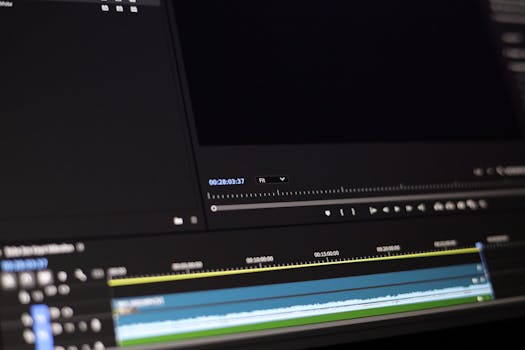
Navigating the landscape of free creative tools can be frustrating. Many developers advertise their products as “free,” only to slap giant watermarks across exported videos or restrict fundamental capabilities behind aggressive paywalls. To determine real value, creators must evaluate software based on technical capabilities, hardware efficiency, and licensing clarity.
1. What Makes Free Video Editing Software Truly Great?
Zero Export Restrictions and No Watermarks
A genuine free video editor should never hold your creative output hostage. The best software platforms provide full-resolution exports—at minimum 1080p, and ideally 4K at 60 frames per second—without branding your footage with an obtrusive logo. Furthermore, legitimate tools do not cap your project runtime or limit the number of exports per month.
System Optimization and Hardware Acceleration
Video rendering is notoriously resource-intensive. Premium-tier free software takes full advantage of your graphics processing unit (GPU), whether you are running an NVIDIA GeForce RTX card, an AMD Radeon setup, or Apple silicon (M1/M2/M3 chips). Efficient timeline playback without dropped frames makes the difference between an enjoyable editing experience and constant frustration.
Non-Linear Editing and Multi-Track Flexibility
Basic cut-and-splice tools are sufficient for quick phone clips, but full-scale projects require a standard multi-track timeline. You need dedicated tracks for primary footage, B-roll overlays, visual effects, voiceovers, background music, and subtitles. Software that offers non-destructive, non-linear editing allows you to alter early edits without ruining downstream pacing.
2. Comprehensive Breakdown of the Best Free Video Editors
The tools featured below have been vetted specifically for American content creators, indie filmmakers, students, and digital marketers who demand robust toolsets without recurring monthly fees.
DaVinci Resolve: The Industry Standard
Blackmagic Design’s DaVinci Resolve has rewritten the rules of creative software distribution. Instead of stripping out critical features to force an upgrade, Blackmagic includes roughly 90% of its full studio suite in the free edition.
The application is structured into specialized workspaces: Media, Cut, Edit, Fusion (visual effects and motion graphics), Fairlight (advanced digital audio workstation), and Color. The color-grading engine in DaVinci Resolve is the exact same toolset used by top-tier Hollywood colorists on blockbuster theatrical releases. It supports up to Ultra HD 3840x2160 resolution exports at up to 60 frames per second, making it an extraordinary package for serious filmmakers.
CapCut Desktop: The King of Short-Form Content
Originally built as a companion app for TikTok creators, CapCut’s desktop edition for Windows and macOS has evolved into a formidable standalone editor. It excels at rapid turnaround projects. CapCut features auto-caption generation with near-perfect transcription accuracy, an extensive royalty-free music and sound effects library, and one-click aspect ratio switches for 9:16 vertical video.
While it lacks the granular color grading and complex node-based compositing of DaVinci Resolve, CapCut gets a finished video from timeline to social channels faster than nearly any competitor.
Shotcut: The Open-Source Powerhouse
For users who value open-source privacy and cross-platform flexibility, Shotcut represents an exceptional choice. Available on Windows, macOS, and Linux, Shotcut requires no account registration, features zero advertisements, and does not harvest user data.
Shotcut supports hundreds of audio and video formats thanks to native FFmpeg integration. Its modular interface allows editors to dock, undock, and arrange panels to suit multi-monitor workstations. It supports 4K resolution timelines, provides comprehensive audio filters, and delivers smooth native editing without intermediate transcoding.
Kdenlive: Deep Customization for Technophiles
Kdenlive is another open-source stalwart powered by the MLT framework and KDE community. Built for creators who prefer total interface control, Kdenlive offers dual-monitor setups, automatic audio alignment for multi-camera shoots, and keyframe-driven video effects. It receives frequent updates and runs well on modest PC hardware that struggles with heavier production suites.
Apple iMovie: Effortless Storytelling for Mac Users
Every Mac, MacBook, and Mac mini ships with iMovie pre-installed at no extra cost. While it lacks professional multi-cam workflows and manual color correction wheels, iMovie delivers a smooth, stabilized editing experience optimized for Apple hardware. Its seamless project handoff allows users to rough cut an edit on an iPhone or iPad and finalize the project on a Mac timeline.
3. Comparison of Top Free Video Editing Platforms
The following matrix provides a clear, side-by-side assessment of how the leading free options compare in core production areas.
| Software | Best Suited For | Operating System | Watermark? | Maximum Free Resolution | Hardware Demands |
|---|---|---|---|---|---|
| DaVinci Resolve | Advanced YouTube, Cinema, Short Films | Windows, Mac, Linux | None | 4K UHD (3840x2160) | High (16GB+ RAM) |
| CapCut Desktop | TikTok, YouTube Shorts, Reels | Windows, Mac | None | 4K (60fps) | Low to Moderate |
| Shotcut | Open-Source Enthusiasts, Privacy Advocates | Windows, Mac, Linux | None | 4K UHD | Moderate |
| Kdenlive | Multi-Cam Projects, Linux Creators | Windows, Mac, Linux | None | 4K UHD | Moderate |
| Apple iMovie | Quick Mac Edits, Beginners, Family Videos | macOS, iOS | None | 4K (60fps) | Low (Optimized) |
4. Matching Software to Your Content Goals
Selecting software depends largely on the format and platform for which you are producing video. Choosing an overly complex editor can slow down simple tasks, while an entry-level tool will limit ambitious projects.
Long-Form YouTube Content
Longer episodic content, gear reviews, video essays, and documentary shorts require clean audio mixing and precise color matching across various lighting conditions. DaVinci Resolve is ideal here due to its Fairlight audio tab, which lets you clean background hiss, equalize vocal dynamics, and set exact broadcast loudness standards.
Short-Form Vertical Media (Reels, TikTok, Shorts)
Vertical video demands fast pacing, kinetic captions, sound effects, and sticker overlays. While professional suites can format vertical video, CapCut Desktop cuts production time in half by automating repetitive tasks like caption placement, auto-reframe, and beat-matched transitions.
Archival, Family, and Classroom Projects
If your goal is archiving home movies, editing school presentations, or compiling sports highlights, you do not need node-based visual effects. Apple iMovie or Shotcut allow you to drag and drop assets, trim edges, insert transitions, and export clean MP4 files within minutes.
5. Potential Pitfalls of Free Editing Platforms
Not every program marketed as free is safe or productive to install. Exercising caution prevents wasted time and compromised computer systems.
Bait-and-Switch Monetization
Certain legacy software brands advertise free downloads, but place critical tools behind paywalls at the final step. A program might let you cut your entire sequence, only to state during export that 1080p rendering, watermark removal, or basic audio mixing requires a monthly credit card subscription. Stick to transparent freeware or proven platforms.
Bundled Installers and Unwanted Software
When downloading open-source software, make certain you are downloading directly from verified developer domains or GitHub repositories. Third-party hosting sites often wrap legitimate open-source installers inside download managers that deploy tracking cookies, browser hijackers, or unwanted bloatware onto your system.
Audio Codec Limitations
A subtle catch with some free platforms is missing proprietary audio codec licensing. For example, some lightweight editors cannot decode or encode specific Dolby Digital or AAC formats natively on Windows without purchasing third-party extensions. Testing your primary camera files on a test timeline before committing to an editor prevents format headaches mid-project.
6. Our Top Pick
DaVinci Resolve is our definitive top recommendation for creators seeking the best free editing platform available.
Unlike freemium alternatives that limit utility to drive paid conversions, Blackmagic Design engineered DaVinci Resolve as a gateway into their professional hardware ecosystem. Because the company generates revenue selling cinema cameras, dedicated color panels, and studio mixing consoles, they provide the standalone software with virtually no artificial roadblocks.
You receive a complete 32-bit floating-point image processing engine, world-renowned color wheels, full HDR grading capabilities, and a complete motion-graphics application (Fusion) inside a single executable. It does not place watermarks on your work, export limits are set to standard commercial 4K specifications, and you can download the software directly through the official Blackmagic Design portal (#) without entering billing information. For creators willing to invest a weekend learning its timeline architecture, DaVinci Resolve renders paid monthly software subscriptions completely obsolete.
7. Frequently Asked Questions
Is DaVinci Resolve really 100% free?
Yes. The standard edition of DaVinci Resolve is completely free to download and use for both personal and commercial projects. Blackmagic Design sells a one-time “Studio” upgrade for $295 that adds neural engine AI tools, advanced noise reduction, and multi-GPU support, but the standard free version includes everything required to produce professional-quality 4K films.
Will free video editing software slow down my computer?
Performance depends entirely on your computer’s specifications and the software you choose. Lightweight applications like Apple iMovie and CapCut run smoothly on entry-level laptops, whereas advanced suites like DaVinci Resolve require modern multi-core processors, dedicated graphics cards, and at least 16 gigabytes of unified or system memory for stutter-free playback.
Can I edit 4K video using free software?
Yes. DaVinci Resolve, Shotcut, Kdenlive, and CapCut Desktop all support native 4K footage handling and high-resolution exports. If your computer struggles to play back 4K files smoothly, these editors allow you to generate low-resolution “proxy” files to ensure responsive timeline cutting before rendering the final product in pristine 4K.
Are open-source video editors safe to use?
Reputable open-source editors such as Shotcut and Kdenlive are exceptionally safe, stable, and secure. Because their source code is completely public, it is regularly scrutinized by international developer communities. To ensure safety, always download open-source programs directly from the official developer site rather than third-party download hubs.
Do free video editors put watermarks on finished videos?
The platforms recommended in this guide do not place watermarks on your completed videos. However, many search-engine-promoted “freemium” editors do insert intrusive logos unless you buy a license. Always review the software’s export terms before starting an extensive edit.
Is CapCut safe to use on desktop computers?
CapCut Desktop is safe and widely used, but it is owned by ByteDance, the parent company of TikTok. Like other major social-oriented applications, it collects diagnostic data and relies on cloud server connectivity for several of its smart features. For users with strict enterprise or personal privacy requirements, local open-source tools like Shotcut provide greater offline autonomy.
8. Conclusion
Finding which video editing software is best and free ultimately comes down to your personal workflow needs, your hardware setup, and the end destination of your media files. While casual creators will appreciate the streamlined speed, automated subtitles, and viral templates packed inside CapCut, serious storytellers and filmmakers will achieve unrivaled post-production polish using DaVinci Resolve. By choosing an uncompromised tool with zero watermarks and expansive 4K export support, you can master high-level creative video production without ever paying a recurring software subscription.